
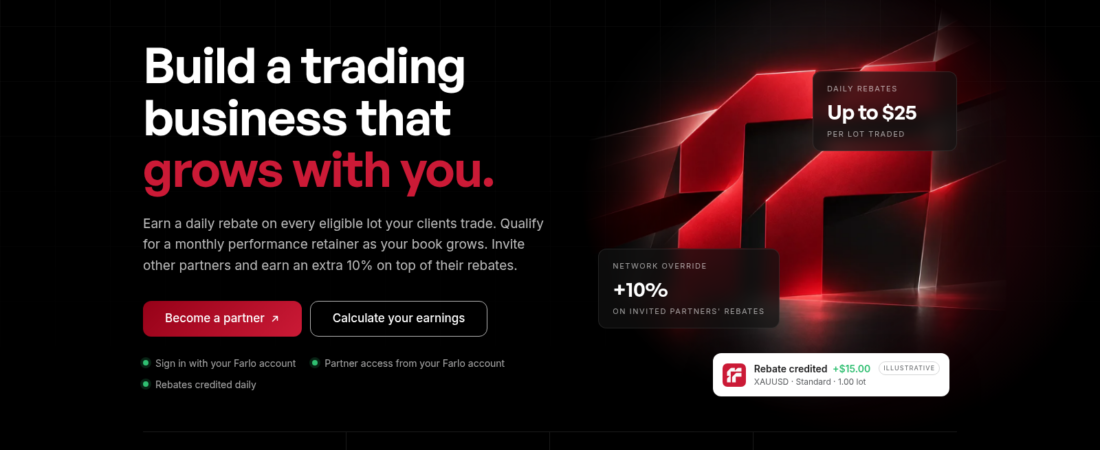
If people already ask you where to trade, because you teach, run a trading community or post your own analysis, you can earn from sending them to Farlo. As a Farlo partner, you get a rebate on the eligible lots your referred clients trade, paid into your Farlo Wallet every day.
Partners now have their own portal at my.farlopartners.com, where you’ll find your tracking link, referrals and earnings. You set it up from your Farlo account in a few minutes. If you don’t have an account yet, our guide to registering on Farlo walks you through it first.
What Farlo Partners Earn
The core of the programme is the daily rebate. When a client you referred opens and closes an eligible trade, you get a fixed amount per lot, up to $25 depending on the instrument and the client’s account type. Rebates are worked out and credited every day.
As your client book grows, you can also qualify for a monthly retainer paid on top of your rebates. There are seven tiers, from $300 to $20,000 a month, and each one has its own lot and client targets.
You can also bring other partners in. When someone joins the programme through your tracking link, Farlo pays you an extra 10% of the rebates they earn, without taking anything from their share.
Everything is paid into your Farlo Wallet. Rebates are only paid on verified, funded live accounts trading real money, so sign-ups by themselves don’t earn anything. The full rate card and the targets for each retainer tier are on farlopartners.com.
The programme is open to anyone eligible under the Partner Terms, but Farlo can’t accept partners from restricted countries, including the United States, Canada and Russia. The Partner Terms have the full list.
Step 1: Open the Partnership Tab
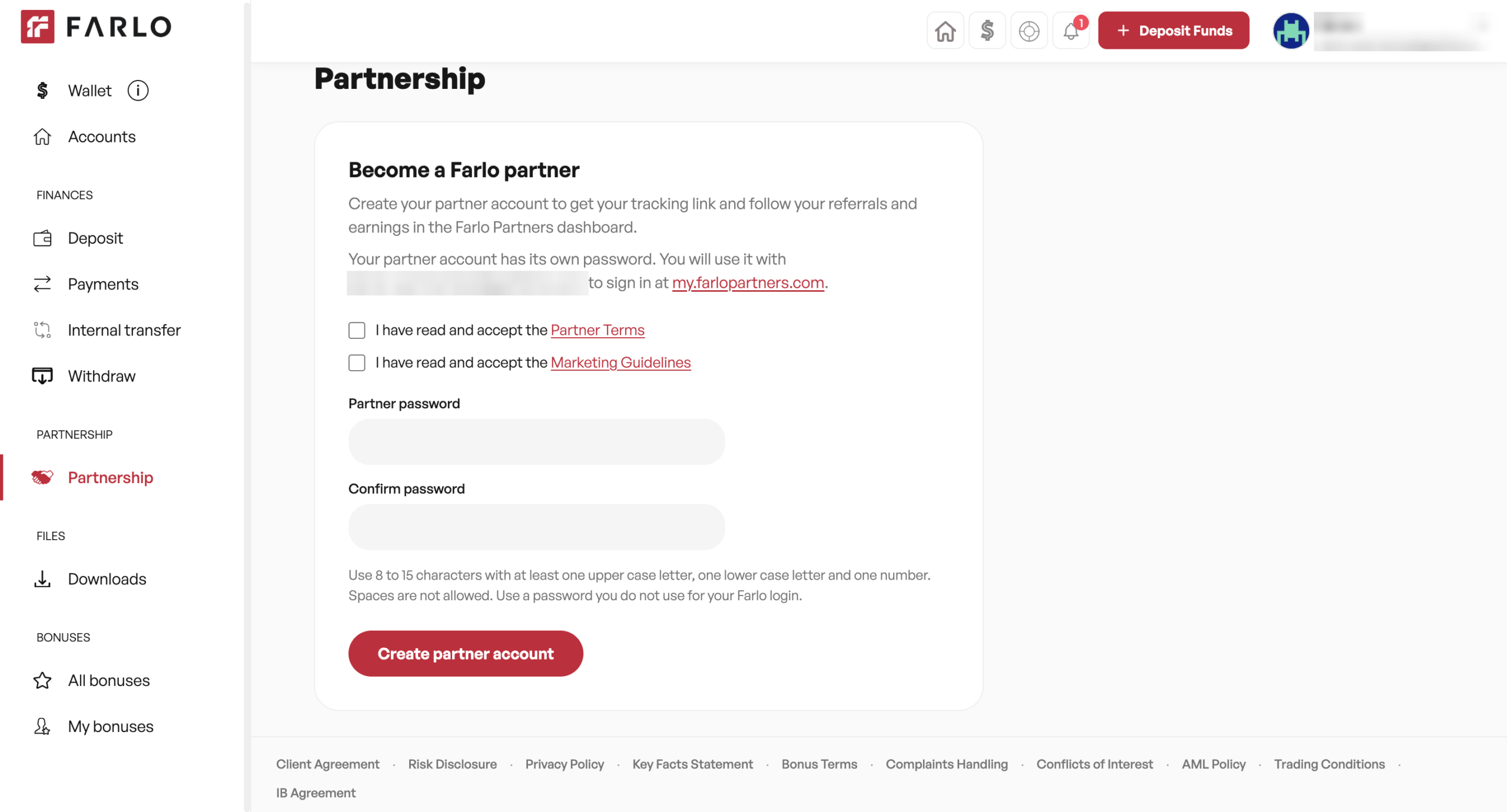
Log in to your Farlo account and select Partnership in the left-hand menu. You’ll see a card titled Become a Farlo partner, with the email address your partner account will use.
You can also start from farlopartners.com. Select Become a partner and you’ll be taken to Farlo to register or log in, then on to the same page.
Step 2: Accept the Terms and Set a Partner Password
Tick the boxes to accept the Partner Terms and the Marketing Guidelines. Both are linked on the card. If you plan to promote Farlo on social media or in a community, read the Marketing Guidelines properly, because every post needs a risk warning and a paid-partnership disclosure and can’t promise returns.
Next, set a password for your partner account. The portal can’t carry your Farlo password over automatically, so you set one here, but it can be the same as your Farlo password if that’s easier to remember. Use 8 to 15 characters with at least one upper-case letter, one lower-case letter and one number, and no spaces. Enter it again in the confirm field.
Step 3: Create Your Partner Account
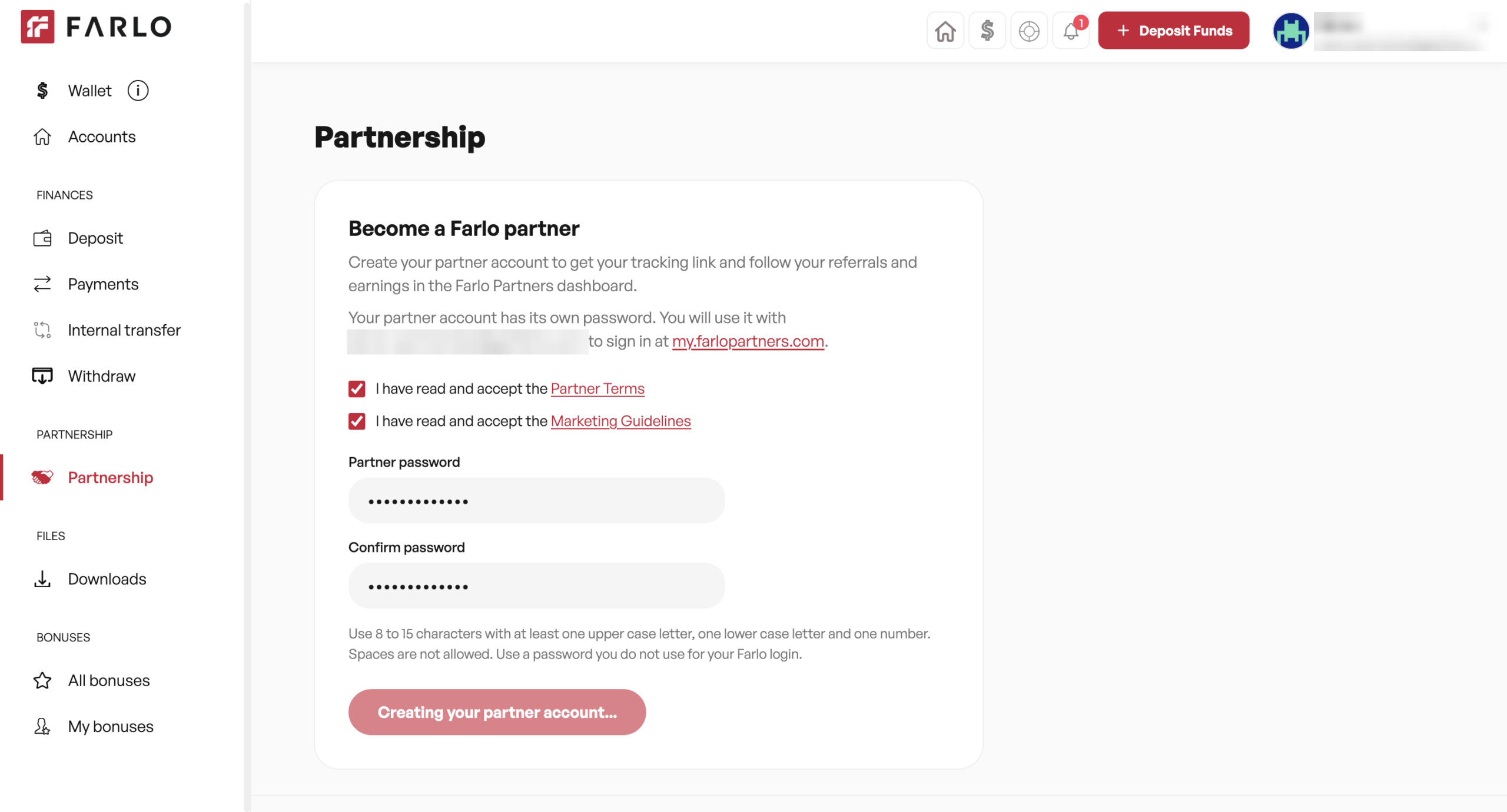
Select Create partner account. The button will show “Creating your partner account…” for a moment.
Once your account is ready, Farlo redirects you to your partner dashboard.
Signing In Later
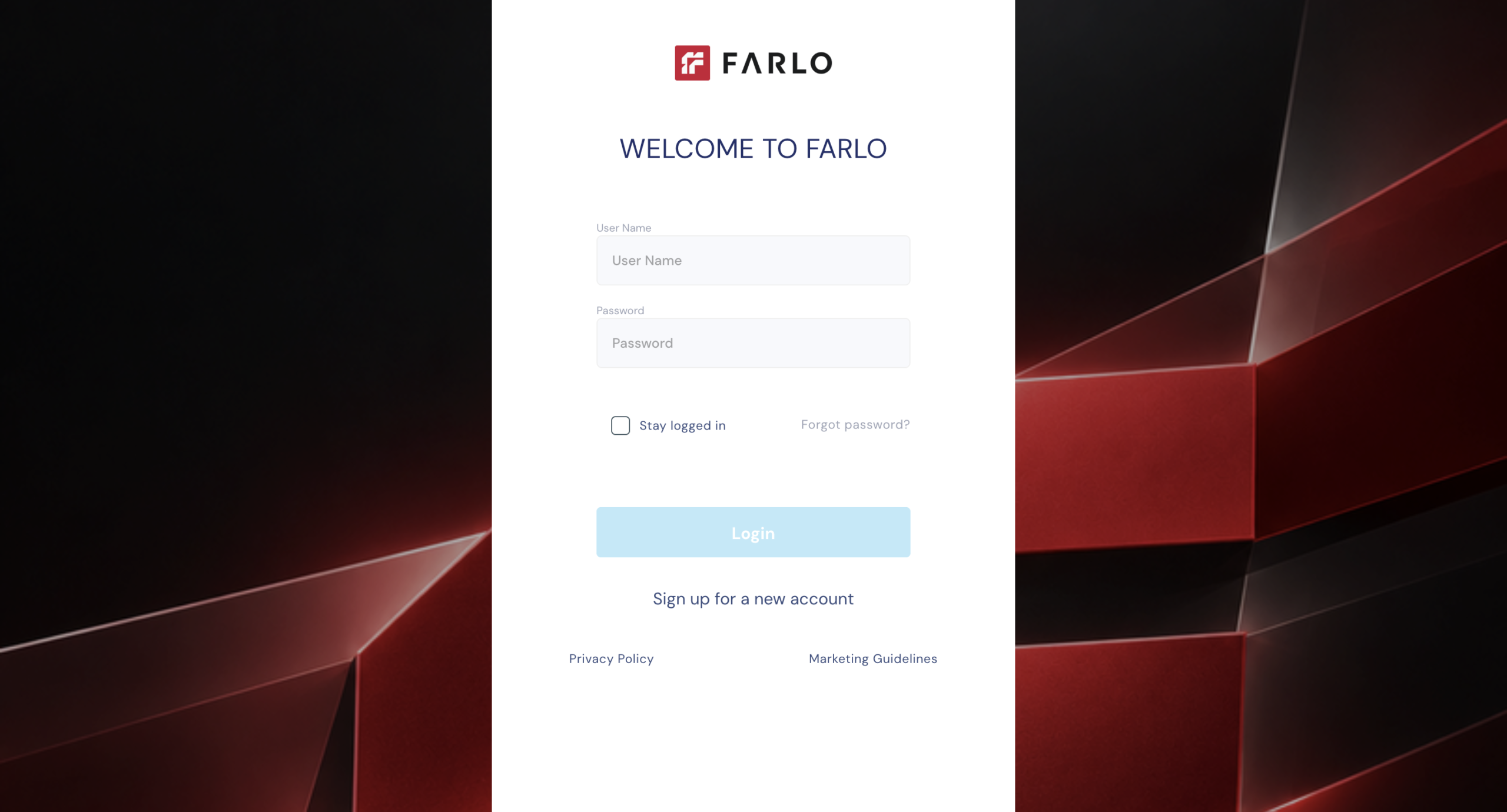
From now on, you can sign in at my.farlopartners.com with your Farlo email address and the partner password you just set.
If you’re already logged in to Farlo, open the Partnership tab and select Go to dashboard instead. And if you forget your partner password, there’s a Forgot password link on the sign-in page. You can also change it later under Profile in the portal.
Your First Look at the Dashboard
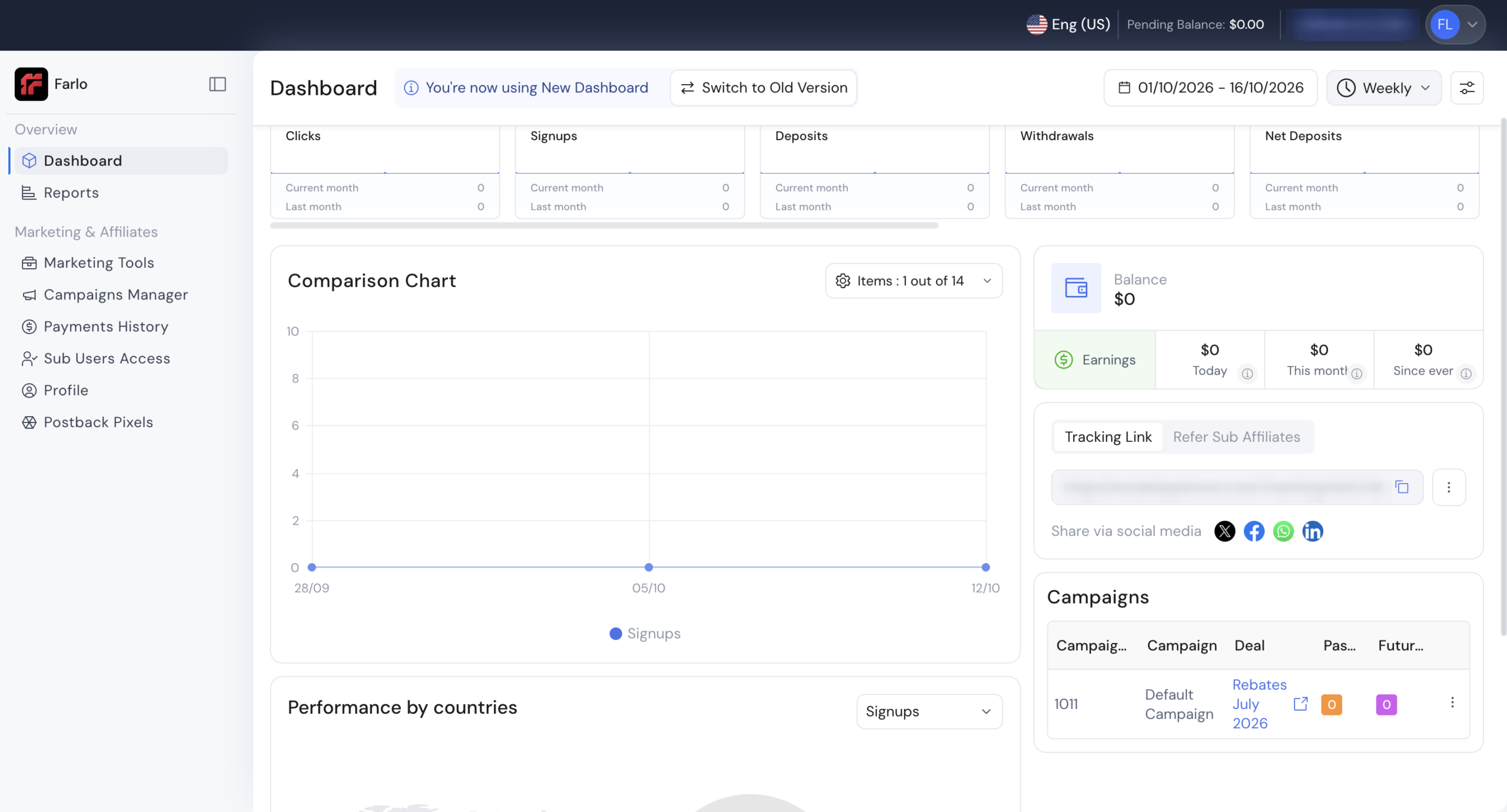
Start with your tracking link, in the panel below your balance. Copy it from the field, or share it from there to X, Facebook, WhatsApp or LinkedIn. Any trader who registers on Farlo through this link is linked to your partner account. Use the same link for people who want to become partners under you, too. Anyone who joins the programme through it counts towards your 10% override.
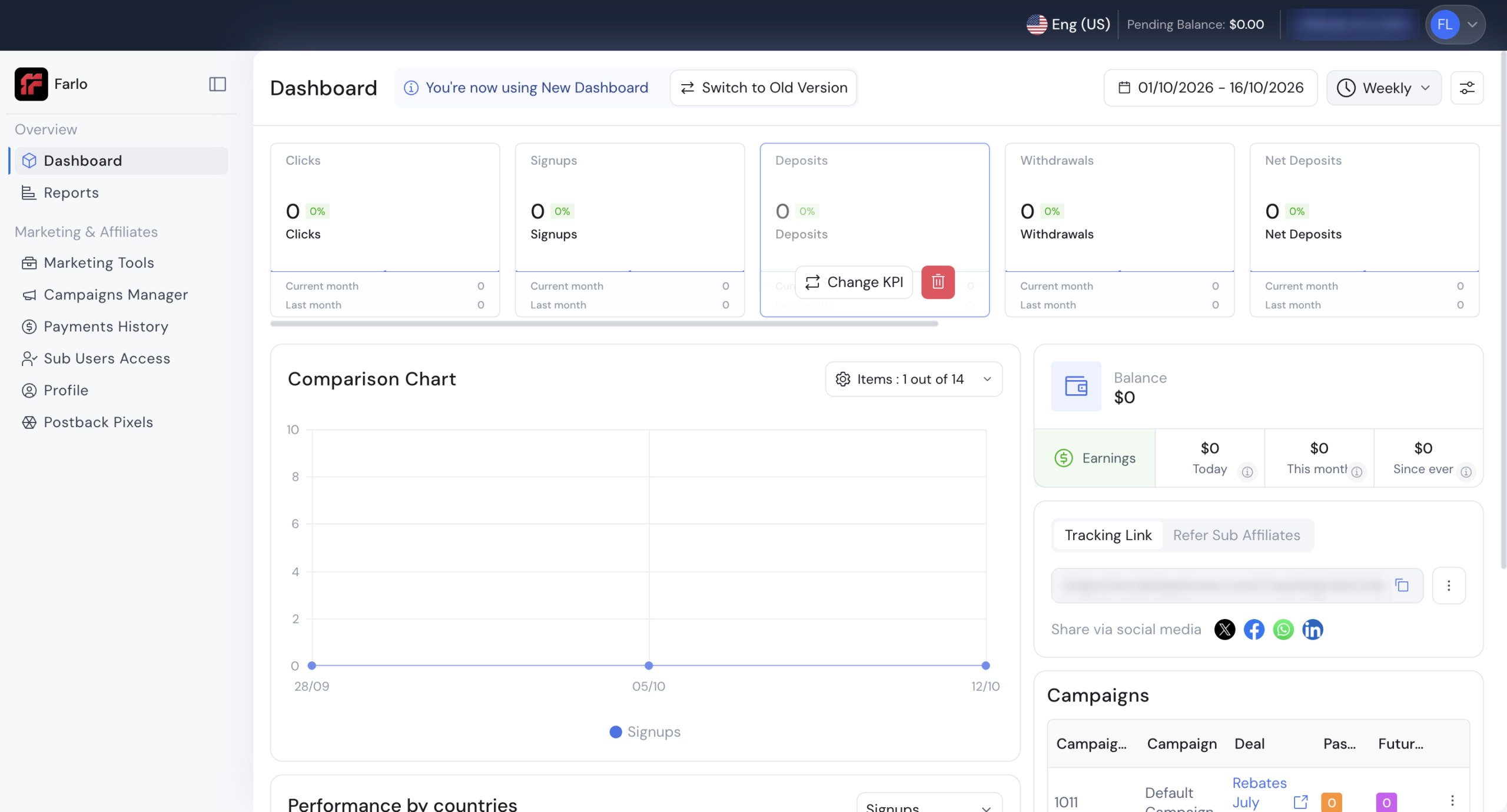
Once your link is out there, the cards along the top of the dashboard begin to fill in. They show clicks, signups, deposits, withdrawals and net deposits for this month and last month, and you can change the date range at the top right. Your earnings for today, this month and overall sit in the Balance panel.
Your campaigns are listed under the tracking link. Every new partner starts with a Default Campaign, and you can manage campaigns from Campaigns Manager in the left-hand menu. Reports and Payments History, also in the menu, give you more detail on your referrals and payouts.
Verifying Your Identity
You don’t need to upload any documents in the partner portal. Identity checks happen in your Farlo account at accounts.getfarlo.com, so if your Farlo account is already verified, there’s nothing more to do. If it isn’t, complete verification there before you plan to withdraw your earnings from your Farlo Wallet.
Already a Farlo Partner
If you were a partner before the new portal launched, you don’t need to sign up again for now. We’re moving existing partners over and will contact you before your account moves.
Frequently Asked Questions
No. You use your existing Farlo account and add partner access from the Partnership tab. The only new thing is a password for the partner portal.
Yes. You can set the same password as your Farlo login. The portal can’t pick it up automatically, so you enter it once when you create your partner account. The two are stored separately, so changing one later won’t change the other.
No. Verification happens in your Farlo account at accounts.getfarlo.com, not in the partner portal. If your Farlo account is already verified, you’re all set.
Rebates are credited to your Farlo Wallet every day. Monthly retainers are paid within 5 business days after the month ends.
To become a partner, log in to Farlo and open the Partnership tab, or visit farlopartners.com and select Become a partner. If you have questions along the way, you can reach the IB desk on WhatsApp, on Telegram or at partners@getfarlo.com.
Trading involves risk. CFDs are leveraged products and can result in significant losses. Partner earnings depend on eligible client trading and are not guaranteed. This article is for informational purposes only and does not constitute financial advice.