
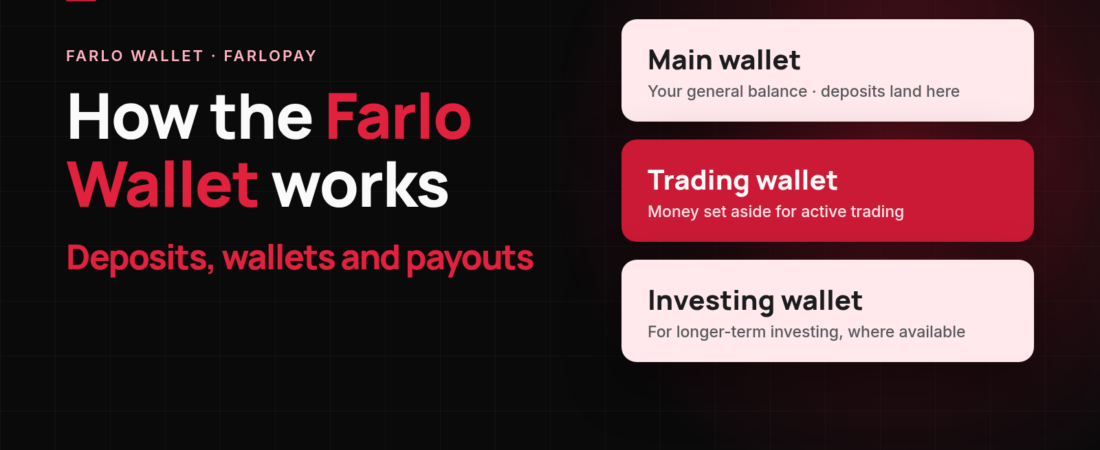
The first time you log in to Farlo, the Accounts dashboard shows a Main Wallet with $0.00 in it. That wallet is where your money starts, and where it comes back to. Deposits land there, trading and investing money is moved out from there, and partner earnings are paid into it.
This guide explains how a Farlo deposit works, what each wallet is for, how money gets from your wallet to MT5 and how payouts come back. If you haven’t opened an account yet, start with how to register on Farlo.
One thing to know before you start: wallet, transfer and currency features depend on where you live. Farlo’s licensing and payment partners differ from country to country, so the options in your account may not match someone else’s. Where this guide says “check in your account”, that’s why.
The Farlo Wallet in Plain Terms
Farlo calls its wallet FarloPay. The idea is one account layer for everything you do on Farlo, with separate wallet views so you can see what’s for what.
| Wallet | What it’s for |
|---|---|
| Main wallet | Your general balance. Deposits arrive here. |
| Trading wallet | Money set aside for active trading, where available |
| Investing wallet | Money set aside for longer-term investing, where available |
The Main wallet is the one everybody has. The Trading and Investing wallets depend on which Farlo products are live where you are. Farlo Trade is live today. Investing products are rolling out by jurisdiction, so you might not see an Investing wallet yet.
Reading Your Balance
Your balance isn’t always one number. Farlo’s account hub shows money as available, pending, settled or reserved.
- Available is money you can use right now.
- Pending is on its way but hasn’t arrived yet. A deposit can sit here while the payment is processed.
- Settled has fully cleared.
- Reserved is set aside for something, so you can’t spend it twice.
If a deposit shows as pending, give it time before you contact support. Processing times depend on the method you used and are shown to you before you confirm.
How to Make a Farlo Deposit
- Log in to your Farlo account at accounts.getfarlo.com.
- Go to your Main wallet and choose the option to add funds.
- Pick a payment method. The list depends on your country and currency.
- Enter the amount.
- Read the summary before you confirm. Farlo shows any deposit fee, conversion fee, limits and processing time on this screen.
- Confirm and complete the payment.
Farlo says it supports more than 60 countries and currencies, including West Africa, East Africa, the UK and Canada, and uses local payment rails where it can. That means you can often pay in your own currency rather than buying dollars first. If your currency has to be converted, the conversion fee is shown before you confirm.
Do You Need to Be Verified First?
You can deposit before your identity verification is finished. You’ll need to complete verification (KYC) before you can trade live or withdraw. To avoid waiting with money you can’t use, submit your documents when you register. Our registration guide lists what you’ll need.
Moving Money Between Wallets
Farlo calls this internal routing. It lets you move funds between your Farlo wallet views, for example from the Main wallet to your Trading wallet. Farlo’s site describes these transfers as instant, where permitted.
Keep the Main wallet as your home base. Move across only what you plan to use, and you’ll always know how much is in play and how much is sitting safely to one side.
Getting Money Into MT5
Your MT5 trading accounts, Standard, Cent or Pro, are funded from your Farlo balance. Open Accounts in your Farlo dashboard, choose the trading account you want to fund and move money into it from your wallet. The exact screens can differ by region, so follow the options shown in your account.
Once the money reaches the trading account, it shows as Balance in the Trade tab in MT5. If you haven’t connected MT5 yet, our MT5 connection guide walks you through it.
If you’re funding a Cent account, remember that the balance is shown in US cents. Move $20 across and MT5 shows 2,000 USC. It’s the same money, counted in smaller units. Our guide to Farlo account types explains why some traders start there.
Demo accounts don’t need any of this. They come with virtual funds, so you can practise with no deposit at all.
Withdrawals
Withdrawing works the other way round. Move money out of your trading account back to your wallet, then withdraw from the wallet to your payment method. Like deposits, the screen shows any withdrawal fee, limits and processing time before you confirm.
Two things can hold a withdrawal up. Your identity verification has to be complete, and money that’s tied up as margin for open trades in MT5 isn’t free to move. Close the trades or reduce them first if you need that money out.
Where Partner Payouts Land
If you’re a Farlo partner (IB), your earnings go into your Farlo Wallet too. Rebates on your referred clients’ eligible lots are credited every day, and monthly retainers are paid within 5 business days after the month ends. Rebates are only paid on verified, funded live accounts trading real money.
Your partner dashboard has its own login, but the money doesn’t stay there. It shows in your Farlo Wallet, where you can withdraw it like any other balance, once your Farlo account is verified. How to Become a Farlo Partner covers the full setup.
Keeping Your Wallet Safe
Your Farlo account comes with security options worth switching on: two-factor authentication, biometric login and trusted devices. Farlo also uses transfer confirmations, withdrawal protection and activity alerts, and shows risk warnings before sensitive actions.
Turn on two-factor authentication under the Security tab in your Personal Profile as soon as you register. And treat anyone who asks you to send money to a personal account “to fund your Farlo account” as a scammer. Farlo deposits are made from inside your own Farlo account. Our guide to trading forex and CFDs safely lists other warning signs.
Frequently Asked Questions
Limits depend on the payment method and your country. Farlo shows the limits for each method on the deposit screen before you confirm, so check there.
Any deposit fee, and any conversion fee if your currency needs converting, is shown before you confirm the payment.
Yes. FarloPay is the name for Farlo’s wallet, which holds your balance and moves money between the Main, Trading and Investing wallets. Which FarloPay features you can use depends on your country.
The Trading and Investing wallets only appear where those products are available. Farlo’s products are rolling out by country, so an Investing wallet may not show in your account yet.
It depends on the payment method. The expected processing time is shown on the deposit screen before you confirm. While it’s processing, the deposit shows as pending in your balance.
Ready to fund your account? Log in to Farlo, add funds to your Main wallet and move what you plan to trade into your trading account. If you haven’t placed a trade before, our guide on how to place, edit and close a trade on MT5 shows you how, step by step.
Trading involves risk. CFDs are leveraged products and can result in significant losses. This article is for informational purposes only and does not constitute financial advice.