
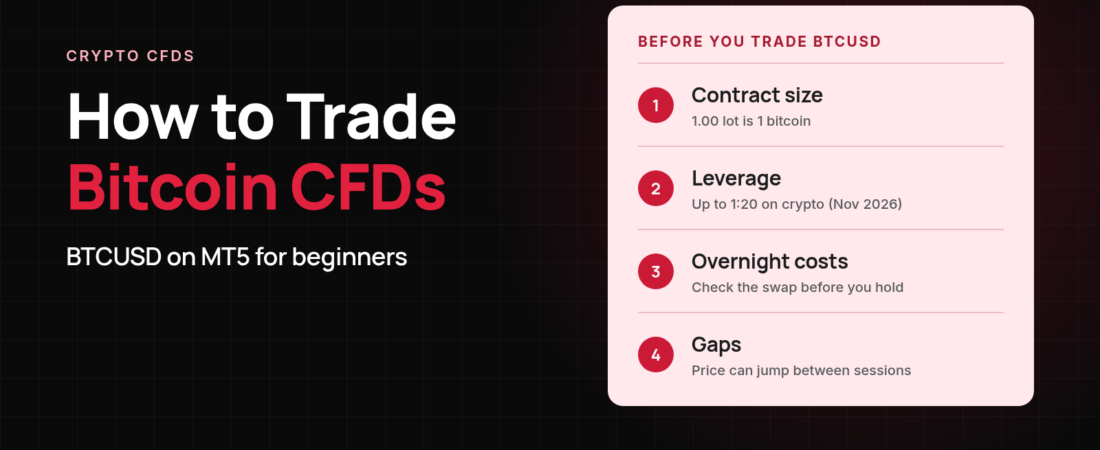
Bitcoin can move more in an afternoon than a major currency pair moves in a month, and that pull is why so many new traders want to try it. On MT5 you don’t buy coins. You trade BTCUSD, a contract that follows the price of Bitcoin in US dollars.
Learning how to trade a Bitcoin CFD starts with a few numbers that work differently from forex: what one lot is worth, how much leverage you get, what it costs to hold a trade overnight and what happens to the price when the market is closed. Get those clear on a demo account first and the platform itself is the easy part.
Bitcoin CFD vs Buying Bitcoin
A CFD, or contract for difference, is an agreement to settle the change in an asset’s price. When you buy BTCUSD on MT5, you gain if Bitcoin’s price rises and lose if it falls, but you never hold any bitcoin, so there’s no crypto wallet or private key to look after.
| Buying Bitcoin | Trading a Bitcoin CFD | |
|---|---|---|
| What you own | The coins themselves | A contract on the price |
| Where it sits | A crypto wallet or exchange account | Your MT5 trading account |
| Trading a fall in price | Not possible by holding coins | You can sell (go short) |
| Leverage | Usually none | Yes, which raises risk as well as exposure |
| Holding costs | Storage or exchange fees, depending on the provider | Spread on each trade, plus swap on positions held overnight |
| Profit and loss | In the coin’s value | In US dollars, in your account currency |
Buying coins suits people who want to own Bitcoin and hold it for a long time. A CFD suits shorter trades on the price, in either direction, from the same account you use for forex and gold. Because it’s leveraged, a CFD can lose money faster than a coin bought outright with the same cash.
BTCUSD on Farlo at a Glance
BTCUSD is one of seven cryptocurrencies on our Standard and Pro accounts, alongside Ethereum, Solana, Ripple, Litecoin, Bitcoin Cash and Binance Coin. On a Pro account the symbol appears as BTCUSD.pro. Our Cent account doesn’t offer crypto.
Spreads, swaps and leverage can change, so check the current values before you trade.
| BTCUSD | |
|---|---|
| Contract size | 1 bitcoin per 1.00 lot |
| Average spread (Standard) | 5,119 points |
| Commission | None on Standard or Pro |
| Maximum leverage | 1:20 |
| Swap long / swap short | -15 / -15, charged as a percentage using the current price |
| Trading hours (server time, UTC+2) | 00:05 to 23:55 |
| Cent account | Not available |
Average spreads are indicative. They can widen when liquidity is thin, when volatility is high and around news.
BTCUSD Lot Size and What a Move Is Worth
On Farlo, 1.00 lot of BTCUSD is one bitcoin. Every $1 change in Bitcoin’s price is worth $1 on 1.00 lot, $0.10 on 0.10 lot and $0.01 on 0.01 lot. Put another way, 0.01 lot gains or loses $1 for every $100 Bitcoin moves.
This example is hypothetical. The price is rounded for easy maths and isn’t a forecast.
| Bitcoin moves | 0.01 lot | 0.10 lot | 1.00 lot |
|---|---|---|---|
| $100 | $1 | $10 | $100 |
| $500 | $5 | $50 | $500 |
| $2,000 | $20 | $200 | $2,000 |
Bitcoin can move $2,000 in a single day. On a small account, even 0.01 lot can feel big when the price runs against you, so start from the amount you’re prepared to lose and the distance to your stop-loss, then work out the lot size. Our guide on how to calculate lot size and pip value has worked Bitcoin examples.
Leverage and Margin on Bitcoin
Maximum leverage on crypto is 1:20 on Farlo, compared with up to 1:1000 on forex and metals. The leverage that applies to you can also depend on your account balance and your country.
At 1:20 you put up 5% of the trade’s value as margin.
This example is hypothetical.
If Bitcoin were at $100,000, 0.01 lot would be a $1,000 position. At 1:20, opening it needs $50 of margin. A 5% fall in Bitcoin, to $95,000, would cost you $50, the same as that margin. On a $60 account, one trade of that size leaves very little room.
Leverage on crypto is lower than on forex, but it doesn’t make a Bitcoin trade safe. If leverage or margin is new to you, read What Is Leverage in Forex Trading? and What Is Forex Margin? before you trade BTCUSD with real money.
What It Costs to Trade and Hold BTCUSD
The spread. Each time you open a trade you pay the gap between the buy and sell price. On BTCUSD this is shown in points, and how much a point is worth depends on how many decimal places the price uses. The Specification window in MT5 shows this for the symbol.
This example is hypothetical and isn’t our current spread. If the spread were $50 per bitcoin, opening 0.01 lot would cost $0.50 in spread, and opening 0.10 lot would cost $5.
Commission. There’s none on BTCUSD, on Standard or Pro. Crypto stays commission-free on Pro even though Pro charges commission on forex, metals and energies.
Swap. A position still open at the end of the trading day pays or earns swap. We charge a -15 swap on BTCUSD for both long and short positions, as a percentage using the current price, which means holding in either direction costs money. Triple swap is applied on Wednesdays to account for the weekend. Before you hold a Bitcoin trade for days or weeks, check the swap shown for BTCUSD in MT5 and think about what it adds up to over the time you plan to stay in.
For a fuller look at how these costs add up, see Forex Trading Costs.
Weekend Crypto Trading and Price Gaps
Bitcoin itself trades every day of the week on crypto exchanges. A CFD can only be traded while the instrument is open on our MT5 server. BTCUSD trades from 00:05 to 23:55 server time (UTC+2), so there’s a short break every day. Server time follows daylight saving, and the days the instrument is open are shown in the trading sessions in the symbol’s Specification window in MT5.
When BTCUSD isn’t open, the Bitcoin price keeps moving elsewhere. When trading resumes, the first price can be some distance from the last one. This is a gap. A stop-loss caught inside a gap is filled at the next available price, which can be worse than the level you set.
A few habits help:
- Check BTCUSD’s sessions in MT5 before you plan any weekend trading.
- Size a position you’ll hold through a break as if the price could open well past your stop.
- Close or reduce trades you couldn’t afford to see gap against you.
Bitcoin’s Volatility
Bitcoin reacts to news about regulation, large holders buying or selling, exchange problems and wider risk appetite. Big moves can come with no warning and at any hour, and spreads can widen at the same time.
For a beginner this means wider stops and smaller sizes than you’d use on EURUSD. A stop that’s $100 away on Bitcoin can be hit by ordinary movement within minutes. Put your stop where your trade idea would be proven wrong, then pick a lot size that keeps the possible loss small.
Before you confirm an order, we show the margin requirement, stop-loss, liquidation level, spread, swap, volatility warnings and trading hours. Our Trade hub explains each of these, and they’re worth reading every time.
How to Trade a Bitcoin CFD on MT5
If you haven’t logged in to MT5 with your Farlo details yet, our guide to connecting Farlo to MetaTrader 5 shows you how.
Step 1: Start on a demo account. Demo accounts use virtual funds, so you can watch how BTCUSD moves and how your balance reacts with nothing at stake.
Step 2: Find BTCUSD. Look for it in Market Watch. On a Pro account search for BTCUSD.pro.
Step 3: Check the specification. Open the Specification window for the symbol and look at the contract size, digits, swap and trading sessions.
Step 4: Decide your stop and your lot size. Choose where your stop-loss goes first. Then use the risk you’re prepared to take on this trade to work out the lot size.
Step 5: Place the order. Open a new order on BTCUSD, enter the volume, add your stop-loss and take-profit, and choose Buy if you expect the price to rise or Sell if you expect it to fall.
Step 6: Watch the trade. Keep an eye on your margin level and on the time. If the market is about to close for its daily break or for longer, decide whether you want the position open through it.
If you’re still choosing an account, Standard, Cent or Pro compares all three. BTCUSD costs the same on Standard and Pro.
Frequently Asked Questions
No. A Bitcoin CFD follows the price of Bitcoin, but you don’t own any coins and can’t move them to a crypto wallet. You can trade rises and falls, and profits and losses are settled in your trading account.
On Farlo, 1.00 lot of BTCUSD is one bitcoin. That makes 0.10 lot a tenth of a bitcoin and 0.01 lot a hundredth, so 0.01 lot gains or loses $1 for every $100 the price moves.
Maximum leverage on crypto is 1:20. The leverage that applies to you can also depend on your balance and your country.
BTCUSD can only be traded while the instrument is open on our MT5 server. Check the trading sessions in the symbol’s Specification window in MT5, and remember that the price can gap when trading resumes after any break.
No. Our Cent account offers forex pairs, gold, silver, Brent and WTI. Crypto is on Standard and Pro.
Before you risk real money on Bitcoin, open a free demo account from your Farlo dashboard, find BTCUSD in MT5 and place a few small trades with virtual funds.
Trading involves risk. CFDs are leveraged products and can result in significant losses. Product availability depends on your country. This article is for informational purposes only and does not constitute financial advice.